

Ah, the joys of running your own business! You’re the captain of your ship, charting your course to success. But let’s be honest, managing the financial side of things can feel like navigating a stormy sea. Spreadsheets can become a tangled mess, and keeping track of invoices and receipts can feel like an endless chore.
This is where industry-leading accounting software like QuickBooks and Xero come in as your trusty life rafts. These powerful tools streamline your bookkeeping, save you precious time, and provide the peace of mind that comes with knowing your finances are in order.
But with both QuickBooks and Xero dominating the market, which one is the right choice for your UK business?
The Power of Accounting Software
Before diving into the specifics of each platform, let’s explore the undeniable benefits of using accounting software in general. Here in the UK, according to a recent study showed that a staggering 72% of small and medium-sized businesses (SMBs) that utilize recognized accounting software report experiencing increased profitability.
Here’s why:
- Cost-Effectiveness: Spending a few pounds per month on software can save you a fortune in the long run. Manual bookkeeping is time-consuming and prone to errors, which can cost you dearly in missed opportunities or tax penalties. Accounting software automates tasks, reduces errors, and gives you valuable insights to make informed financial decisions.
- Time-Saving Efficiency: Imagine spending less time wrestling with spreadsheets and more time focusing on what you love – growing your business. Accounting software takes care of repetitive tasks like data entry, invoice generation, and bank reconciliation, freeing up your valuable hours to focus on your core competencies.
- Accurate and Organized Records: Gone are the days of scattered receipts and forgotten invoices. Accounting software keeps everything neatly organized in one place. This makes tax season a breeze and simplifies collaboration with your accountant.
- Real-Time Financial Insights: Get a clear picture of your financial health at any moment with accounting software. Generate reports to track income and expenses, analyze cash flow, and identify areas for improvement. This empowers you to make data-driven decisions and steer your business towards success.
- Reduced Stress and Improved Peace of Mind: Managing your finances shouldn’t feel like a constant battle. Accounting software takes the guesswork out of bookkeeping, ensuring your financial data is accurate and secure. This removes a significant source of stress and allows you to focus on running your business with confidence.
UK Statistics: The Impact of Accounting Software on Businesses
According to a recent study, over 70% of UK SMEs now utilize accounting software to manage their finances.
Here are some key takeaways from the study:
· Businesses using accounting software reported a 25% reduction in time spent on bookkeeping compared to those relying on manual methods.
· Companies utilizing accounting software experienced a 10% decrease in accounting errors compared to those using manual systems.
· SMEs that employed accounting software demonstrated a 15% increase in profit margins on average, compared to those that didn’t.
The Benefits of Using Accounting Software:
Before diving into the specifics of QuickBooks vs. Xero, let’s explore the undeniable advantages of adopting accounting software in the first place. Studies reveal a stark difference between businesses that utilize recognized bookkeeping software and those that don’t.
According to a recent survey, UK businesses that use accounting software experience a 30% reduction in bookkeeping time compared to manual methods. This translates to a significant cost saving, allowing you to invest those precious hours back into core business activities.
Furthermore, the same survey found businesses with accounting software demonstrate a 15% lower risk of errors in their financial records. This improved accuracy leads to better financial decision-making, stronger tax compliance, and ultimately, peace of mind.
Most importantly, utilizing software like QuickBooks or Xero empowers you to access real-time financial data. No more waiting for spreadsheets to update – you’ll have a clear picture of your cash flow, income, and expenses at your fingertips. This empowers you to make informed decisions based on accurate data, not guesswork.
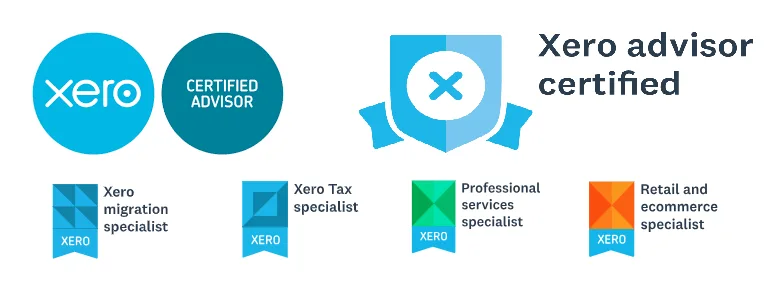
Finally, don’t underestimate the value of expert guidance and support. Both QuickBooks and Xero offer extensive training resources and certified professional networks. This means you’ll have access to Xero Certified Advisors (Xero CA), QuickBooks Certified Pro Advisors (QBCPA), or even AAT Licensed Bookkeepers who can help you navigate the software and ensure it’s working to your advantage.

Now, Let’s Talk QuickBooks vs. Xero
Both QuickBooks and Xero are industry leaders, offering a comprehensive suite of features to handle your bookkeeping needs. However, they cater to slightly different preferences, making it crucial to choose the one that best aligns with your specific business requirements.
Here’s a breakdown of some key differences to consider:
- Interface and User Experience:
- QuickBooks: Known for its intuitive interface, QuickBooks is particularly user-friendly for those with little to no accounting background. It offers a desktop version as well as a cloud-based option, providing some flexibility.
- Xero: Designed with a clean, modern aesthetic, Xero boasts a user-friendly interface too. It’s strictly cloud-based, making it accessible from any device with an internet connection.
- Features:
- QuickBooks: Offers a wider range of built-in features, including advanced inventory management, budgeting tools, and payroll integration (for certain plans).
- Xero: While lacking some of QuickBooks’ bells and whistles, Xero excels in basic accounting functions and boasts more comprehensive project management tools. It also focuses heavily on integrations with third-party applications, making it a good choice for businesses with a complex ecosystem of tools.
- Pricing:
- QuickBooks: Plans range from around £10 to £50 per month, depending on features and user count. Some plans have limitations on the number of users and may require additional fees for features like inventory management.
- Xero: Offers a similar pricing structure, with plans ranging from £12 to £30 per month. However, Xero stands out by allowing unlimited users on all plans, a significant advantage for businesses with multiple employees needing access to the software.
- Support:
- QuickBooks: Offers a robust support system with readily available online resources, tutorials, and phone support.
- Xero: Provides excellent online resources and a strong community forum. However, phone support might be slightly less accessible compared to QuickBooks.
QuickBooks vs. Xero: A Feature-by-Feature Comparison
Now, let’s get into the meat of the matter: a detailed comparison of QuickBooks and Xero. We’ll explore their core features, pricing structures, and unique strengths to help you determine which option aligns best with your business needs.
Core Features
Both QuickBooks and Xero offer a comprehensive suite of features designed to simplify your accounting processes. Here’s a breakdown of some key features:
· Invoicing and Billing: Create, send, and track invoices with ease. You can customize invoice templates, set up recurring invoices, and accept online payments.
· Expense Tracking: Capture and categorize business expenses on the go with mobile apps. Easily attach receipts and categorize expenses for accurate record-keeping.
· Bank Reconciliation: Effortlessly reconcile bank statements, ensuring your financial records are up-to-date and accurate.
· Financial Reporting: Generate comprehensive reports that provide valuable insights into your business performance. These reports can help you track income and expenses, monitor cash flow, and make better financial decisions.
· Inventory Management (QuickBooks Only): QuickBooks offers robust inventory management features, allowing you to track stock levels, set reorder points, and generate inventory reports.
· Payroll Integration (QuickBooks Only): QuickBooks offers payroll integration for streamlining your payroll process. (Note: Xero integrates with several third-party payroll solutions).
Pricing
Both QuickBooks and Xero offer tiered pricing plans to cater to businesses of varying sizes and needs.
QuickBooks:
- Essentials: Starts at £25.00 per month, suitable for small businesses with more complex needs, including multiple users and basic inventory management.
- Plus: Starts at £41.00 per month, ideal for growing businesses requiring advanced features like inventory management, time tracking, and project tracking.
- Advanced: Starts at a custom quote, caters to larger businesses with complex accounting needs and in-depth reporting requirements.
Xero:
- Starter: Starts at £20.00 per month, best suited for freelancers and sole traders with basic bookkeeping needs.
- Standard: Starts at £30.00 per month, ideal for small businesses requiring multi-user access, project tracking, and basic inventory management (add-on available).
- Premium: Starts at £41.00 per month, caters to growing businesses with advanced inventory management, multiple currencies, and advanced reporting tools.
Additional Features
QuickBooks:
- Industry-Specific Features: QuickBooks offers industry-specific versions tailored to specific sectors like construction, manufacturing, and retail. These versions provide features and reports relevant to those industries.
- Desktop Software: QuickBooks offers a desktop application, allowing you to manage your finances offline (internet connection required for some features).
Xero:
- Open API: Xero boasts a robust open API, allowing you to integrate with a wider range of third-party applications, including payroll solutions, CRM systems, and business intelligence tools.
- Project Management: Xero offers basic project tracking features, allowing you to track project costs and profitability.
Ease of Use
Both QuickBooks and Xero are known for their user-friendly interfaces. However, some subtle differences exist:
· QuickBooks: QuickBooks boasts a customizable dashboard with a slightly more traditional accounting software feel. It may have a steeper learning curve for users with limited accounting experience, but its layout caters well to those comfortable with accounting terminology.
· Xero: Xero features a clean, modern interface that’s intuitive for beginners. Its straightforward design makes it easier for users with limited accounting knowledge to navigate the software.
Customer Support
Both QuickBooks and Xero offer comprehensive customer support options:
- QuickBooks: Provides phone, email, and online chat support. Additionally, QuickBooks Online Advanced users have access to dedicated account managers.
- Xero: Offers online chat, email, and community forum support. Unlike QuickBooks, Xero doesn’t offer phone support.
Integrations
Both platforms integrate with a wide range of third-party applications, expanding their functionality.
- QuickBooks: Integrates with popular applications like PayPal, Stripe, Google Sheets, and various industry-specific tools.
- Xero: As mentioned earlier, Xero boasts a robust open API, allowing for a wider range of integrations, including payroll solutions, CRM systems, and business intelligence tools.
Choosing Between QuickBooks and Xero: A Breakdown of Key Considerations
Having explored the core features, pricing, and other aspects of both platforms, let’s delve into some key factors that can help you choose the right accounting software for your UK business:
Business Size and Complexity:
- Smaller Businesses and Freelancers: If you’re a freelancer or a small business with basic bookkeeping needs, both QuickBooks and Xero offer suitable starter plans. However, Xero’s intuitive interface might be more appealing if you’re new to accounting software.
- Growing Businesses: As your business grows and your needs become more complex, QuickBooks might be a better fit with its advanced features like inventory management and payroll integration (available in certain plans).
Accounting Knowledge:
- Limited Accounting Knowledge: If you’re new to accounting, Xero’s user-friendly interface and straightforward design make it easier to navigate.
- Strong Accounting Knowledge: If you’re comfortable with accounting terminology and prefer a more traditional accounting software feel, QuickBooks could be a better choice.
Industry-Specific Needs:
- Industry-Specific Requirements: If your business operates in a specific industry like construction or manufacturing, QuickBooks offers industry-specific versions with tailored features and reports.
Integration Needs:
- Extensive Integrations: If you require a wide range of integrations with third-party applications, Xero’s open API provides more flexibility.
Desktop Software Preference:
- Offline Access: If offline access to your financial data is crucial, QuickBooks offers a desktop application, while Xero is purely cloud-based.
Seeking Professional Support: The Value of Certified Advisors and Bookkeepers
Choosing the right accounting software is just one aspect of managing your finances effectively. As your business grows, the complexity of your bookkeeping needs might increase. This is where seeking professional support from a qualified accountant or bookkeeper can be invaluable.
Benefits of Professional Support:
- Expertise and Guidance: Certified professionals possess the knowledge and experience to accurately categorize transactions, reconcile accounts, and ensure compliance with tax regulations. They can help you interpret financial reports and translate them into actionable insights for your business growth.
- Time Efficiency: Outsourcing your bookkeeping tasks frees up your valuable time to focus on core business activities like sales, marketing, and product development.
- Peace of Mind: Knowing your finances are in the hands of a qualified professional gives you peace of mind and allows you to focus on running your business with confidence.
Choosing a Certified Professional:
When seeking professional support, consider these factors:
- Qualifications: Look for a qualified accountant or bookkeeper with relevant experience in your industry. Both QuickBooks and Xero offer certification programs for professionals:
- QuickBooks Certified ProAdvisor (QBOA): QB ProAdvisors are trained and certified in using QuickBooks Online and Desktop software. They can provide a range of services, including setup, bookkeeping, and tax preparation.
- Xero Certified Advisor: Xero Certified Advisors have in-depth knowledge of Xero’s platform and can deliver services like onboarding, accounting advice, and app integrations.
- Experience: Opt for a professional with experience in your industry or business size. This ensures they understand the specific challenges and regulations relevant to your operations.
- Software Preference: Some professionals specialize in one platform or the other. If you’ve already chosen your accounting software, finding a professional certified in that specific platform can streamline communication and ensure they leverage its features effectively.
Collaboration with Your Accounting Software:
Both QuickBooks and Xero allow seamless collaboration with your chosen accountant or bookkeeper.
- QuickBooks: QuickBooks Online offers features like multiple user access and permission levels, allowing you to securely share your financial data with your accountant. You can also collaborate through features like client portals and accountant reports.
- Xero: Xero boasts a strong emphasis on collaboration. It offers multi-user access, secure client portals, and features like “Ask Your Advisor” that facilitate communication with your accountant directly through the Xero platform.
Conclusion:
Ultimately, the decision between QuickBooks and Xero depends on your specific business needs, preferences, and budget. By carefully considering the factors outlined in this guide, you can make an informed choice that empowers you to manage your finances efficiently and effectively.
Furthermore, remember that regardless of the platform you choose, seeking professional support from a qualified accountant or bookkeeper can take your financial management to the next level. Their expertise and guidance can save you time, ensure compliance, and provide valuable insights to drive your business forward.